Connected App vs External Client App in Salesforce: Complete Guide
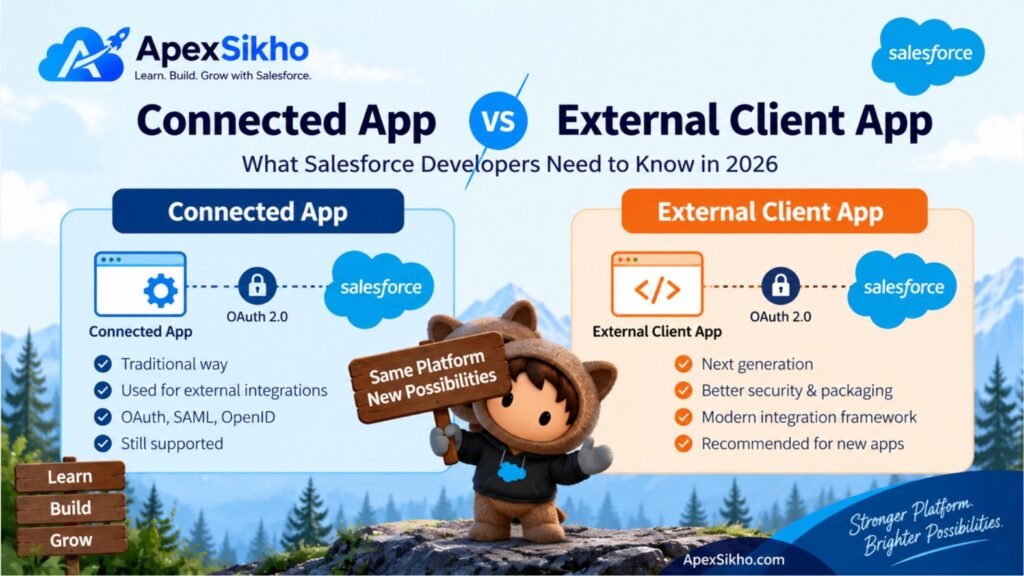
What is a Connected App?
A Connected App is a Salesforce framework that allows an external application to securely connect to Salesforce.
It typically uses protocols such as:
- OAuth 2.0
- SAML
- OpenID Connect
For example, imagine you have an external application:
My External Application ↓
OAuth 2.0
↓
Salesforce
↓
REST APIThe Connected App tells Salesforce:
“This external application is requesting access to Salesforce.”
Salesforce can then authenticate the user/application and issue an access token with the required permissions.
Connected Apps have traditionally been used for:
- REST API integrations
- Mobile applications
- Web applications
- SSO
- Third-party applications
- Salesforce API authentication
What is an External Client App?
An External Client App (ECA) provides a newer framework for connecting third-party applications to Salesforce.
Salesforce describes External Client Apps as the new generation of Connected Apps.
They still support common integration concepts such as OAuth and SSO, but improve areas such as:
- Security
- Packaging
- Distribution
- Developer/admin separation
- Metadata management
- Application lifecycle management
Think of it like this:
Connected App
      ↓
Older generation
      ↓
External Client App
      ↓
New generation
The purpose isn’t to completely change how OAuth works. Instead, Salesforce has redesigned the application framework around it.
1. Security
Both application types can use OAuth 2.0 to securely authorize access to Salesforce APIs.
For example:
External Application
       |
       | OAuth 2.0
       ↓
Salesforce Authorization Server
       |
       | Access Token
       ↓
Salesforce REST API
The external application doesn’t need to store the user’s Salesforce password.
Instead, OAuth provides an access token that can be used to access authorized Salesforce resources.
Salesforce supports multiple OAuth flows depending on the use case.
So which is more secure?
External Client Apps are designed with improved security and a cleaner separation between developer-controlled settings and administrator-controlled policies.
However, simply choosing an External Client App doesn’t automatically make an integration secure.
You still need to:
- Use the appropriate OAuth flow
- Request only required scopes
- Control which users can access the application
- Protect client credentials
- Configure appropriate policies
- Avoid storing Salesforce passwords
2. Packaging — One of the Biggest Differences
This is where External Client Apps become particularly useful for ISVs and developers distributing applications.
Connected Apps have limitations around modern packaging.
External Client Apps support second-generation managed packaging (2GP) and additional distribution capabilities.
For example:
Developer Org
      ↓
External Client App
      ↓
2GP Package
      ↓
Customer Org
      ↓
Customer Admin Configuration3. Developer vs Admin Responsibilities
This is another important improvement.
With traditional Connected Apps, separating developer-owned configuration from customer/admin configuration can be difficult.
External Client Apps are designed to maintain a cleaner separation between:
Developer / ISV
and
Customer Salesforce Administrator
Salesforce specifically lists distinct developer and admin roles as a capability of External Client Apps.
This becomes especially useful when you’re building a commercial Salesforce application.
4. Metadata API and Deployment
If you’re a Salesforce developer, this is an important difference.
External Client Apps have stronger support for metadata-based development and deployment.
That means they fit better into a modern Salesforce DevOps workflow:
Developer
   ↓
VS Code
   ↓
Salesforce DX
   ↓
Git
   ↓
CI/CD
   ↓
Salesforce Org
Salesforce documents Metadata API support for External Client Apps, while Connected App metadata capabilities are restricted in comparison.
This is particularly useful for teams using:
- Git
- Salesforce CLI
- VS Code
- CI/CD
- DevOps Center
- Jenkins
- Deployment pipelines
5. What Happened to Connected Apps in Spring ’26?
This is probably the most important part of this article.
Starting with Spring ’26, Salesforce restricted the creation of new Connected Apps.
Existing Connected Apps continue to work.
Salesforce also allows existing Connected Apps to continue being used and installed through supported mechanisms such as packaging.
However, customers who need to create new Connected Apps generally need to contact Salesforce Support to request that capability.
So if you’re learning Salesforce integration today, don’t assume that the old:
Setup → New Connected App
workflow is still the preferred approach.
Salesforce recommends using External Client Apps instead.
Real-World Example
Let’s say your company has an external application called:
Employee Portal
The portal needs to retrieve Salesforce Contact information.
Old approach
Employee Portal
      ↓
Connected App
      ↓
OAuth 2.0
      ↓
Salesforce REST API
      ↓
Contact Data
Modern approach
Employee Portal
      ↓
External Client App
      ↓
OAuth 2.0
      ↓
Salesforce REST API
      ↓
Contact Data
The fundamental OAuth/API architecture is similar.
The major difference is the application framework and lifecycle capabilities around the integration.
When Should You Use a Connected App?
If you’re working with an existing Connected App, don’t panic.
Salesforce isn’t saying that all existing Connected Apps immediately stop working.
Existing Connected Apps continue to work.
You may continue using one when:
- You already have a production integration.
- Your existing application depends on Connected App functionality.
- You have a legacy implementation that hasn’t been migrated yet.
- A specific Connected App-only feature is required.
There are still some scenarios where Connected Apps remain relevant because External Client Apps don’t support every Connected App use case.
When Should You Use an External Client App?
For a new integration, External Client App should generally be your first choice.
Consider it when:
- You’re building a new Salesforce integration.
- You’re creating a new mobile/web application.
- You’re building an ISV solution.
- You need 2GP packaging.
- You want metadata-based deployment.
- You need clearer developer/admin separation.
- You want modern application distribution.
- You’re designing a long-term Salesforce integration.
Salesforce recommends External Client Apps for new integrations.